
What Is the Dexcom G6 Receiver, Exactly?
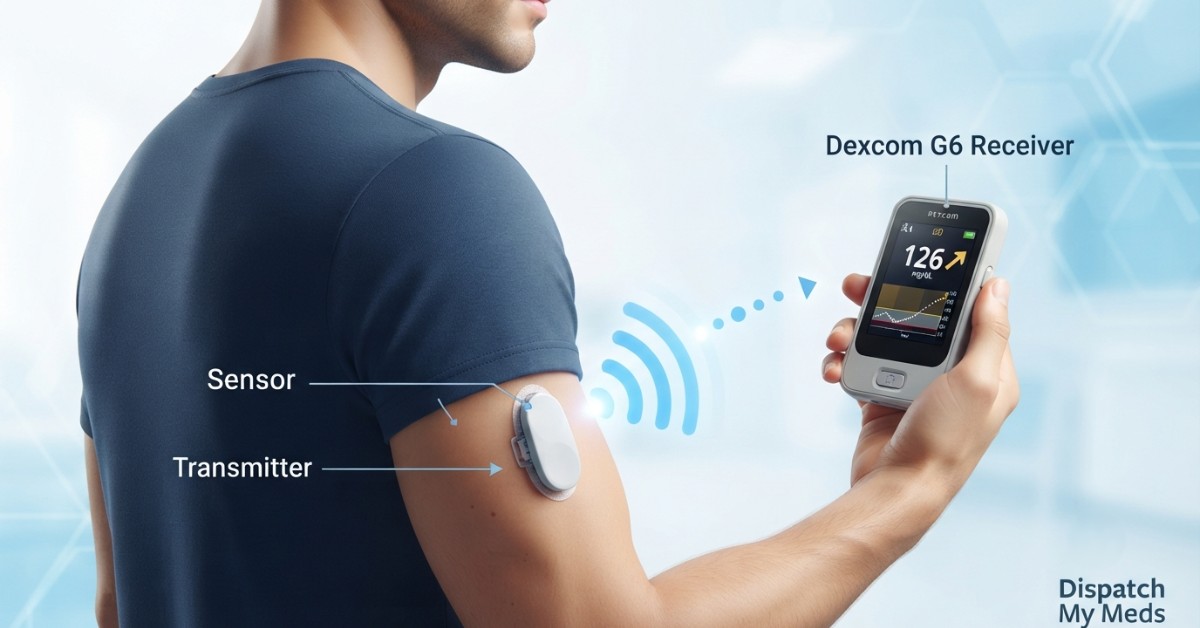
Before answering how does the Dexcom G6 receiver work, it helps to know what it is. The receiver is a small screen-based device, about the size of a vintage-style pager, which displays your blood sugar level in real time without any requirement for your smartphone. The receiver is one of the three components that are part of the Dexcom G6 system.
Some users prefer the receiver over a phone app for practical reasons. A dedicated device does not run out of battery from social media use, does not get interrupted by notifications, and works even if your phone is left in another room or turned off. For children, older adults, or anyone who wants a diabetes-only device, the receiver remains a reliable choice, even as Dexcom G6 users continue to rely on it as their primary or backup display.
How Does the Dexcom G6 Receiver Work? The Step-by-Step Process
This is the core of the question everyone asks — how does the Dexcom G6 receiver work from start to finish?
This cycle repeats around the clock, giving you 288 data points a day without a single fingerstick under normal use. That is the real mechanical answer to how does the Dexcom G6 receiver work, and it is why so many users describe it as "set it and forget it" once configured correctly.
Licensed DME supplier. We verify your insurance before your first order and ship fast across all 50 US states.
Dexcom G6 Receiver Setup Guide: Getting Started the Right Way
A proper Dexcom G6 receiver setup guide saves you from the most common first-week frustrations. Here is the order that actually works:
- Charge the Dexcom G6 receiver fully before first use. It has a two-day battery life once running, but it ships with almost no charge.
- Power it on and follow the onscreen prompts to select your language and time zone.
- Enter your four-character transmitter serial number, found on the transmitter box label or printed on the transmitter itself. This pairs the two devices.
- Insert the sensor and attach the transmitter, then wait through the two-hour warm-up period before readings appear.
- Set your personal high and low glucose thresholds under the Alerts menu, based on guidance from your healthcare provider.
The receiver and a smartphone can run simultaneously from the same transmitter, but only one receiver and one phone can be paired at a time. If you try to pair a second phone or a second receiver, the original connection will drop.
Dexcom G6 Receiver Instructions Guide: Daily Use Tips
Once setup is complete, a working Dexcom G6 receiver instructions guide should cover daily habits, not just the initial pairing. A few practical points that rarely get mentioned:
- Keep the receiver within 20 feet of your body during the day and near your bed at night, since range is the single biggest reason readings stop updating.
- Swipe left on the home screen to view your glucose trend graph over 1, 3, 6, 12, or 24 hours.
- Use the USB cable to periodically upload data to Dexcom Clarity software on a computer for a longer-term view your doctor can review.
- Remember that the receiver has no internet connection, so the Share and Follow features that let family members view your numbers remotely only work through the Dexcom G6 smartphone app, not the receiver itself.
Dexcom G6 Receiver Troubleshooting Guide: Fixing Common Problems
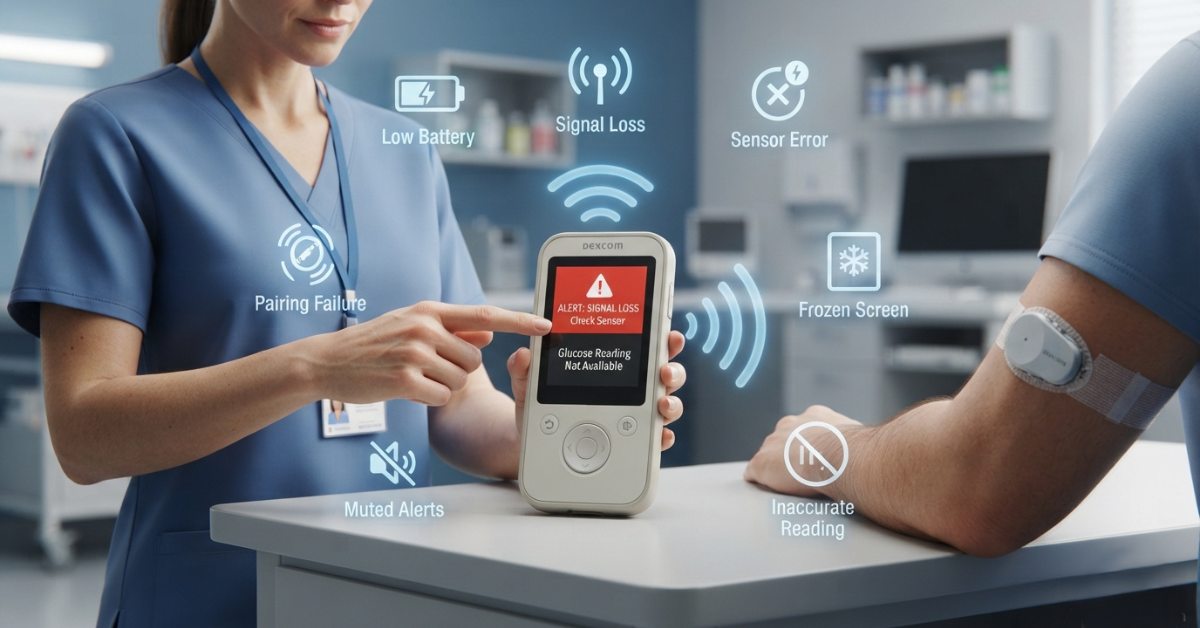
Even a well-designed device runs into hiccups. This Dexcom G6 receiver troubleshooting guide covers the issues that come up most often.
- Signal loss or "Out of Range" messages: Approach the transmitter, clear out obstacles, and ensure that the receiver is not mistakenly switched off.
- Receiver will not turn on: Allow charging for at least 20 minutes through the original cable prior to powering on because a completely discharged battery will need a couple of minutes to indicate that it is being charged.
- Inaccurate or delayed readings: Ensure that the warming-up of the sensor session is complete, and assess whether the sensor is approaching the last days of its life span of 10 days.
- Pairing fails during setup: Double-check the four-character transmitter code, since a single mistyped character is the most common cause of failed pairing.
- Touchscreen unresponsive: A soft reset, holding the power button for about 10 seconds, resolves most freezing issues without erasing stored data.
If none of these steps work, Dexcom's technical support line can walk you through a warranty check, since receivers include a one-year warranty from the manufacturer.
Dexcom G6 Receiver Purchase Online: What to Know Before Buying
If you are looking into a Dexcom G6 receiver purchase online, there are a few things worth checking first. Dexcom has confirmed that G6 manufacturing will continue only until mid-2026, after which supply will depend on remaining pharmacy and distributor stock, with the company steering new users toward the G7 platform. It is important to check the compatibility and availability of the stock before buying it.
When you buy Dexcom G6 receiver online, make sure that the seller provides you with an authentic sealed unit which will be compatible with your current G6 transmitter and sensors as they are not interchangeable with G5 and G7.
Buying through Dexcom's official store, an authorized durable medical equipment supplier, or your insurance-affiliated pharmacy is generally safer than third-party marketplaces, where counterfeit or expired stock has occasionally been reported.
Dexcom G6 Receiver: Key Facts at a Glance
| Feature | Detail | Source |
|---|---|---|
| Data transmission interval | Every 5 minutes | Dexcom official site |
| Wireless range | Up to 20 feet, no obstructions | Dexcom official site |
| Sensor wear time | 10 days | Dexcom danatech product page |
| Transmitter battery life | Approximately 3 months | Dexcom danatech product page |
| Receiver battery life | About 2 days per charge | Vitality Medical product listing |
| Data storage | Up to 30 days on device | Diabetic Outlet product page |
| Ingress protection rating | IP22 | Vitality Medical product listing |
| Approved age range | 2 years and older | Dexcom official FAQ |
| Manufacturing cutoff | Production continues through July 1, 2026 | Dexcom danatech product page |
How does the Dexcom G6 receiver work without a smartphone?
Can I use the Dexcom G6 receiver and a phone app at the same time?
How long does a Dexcom G6 receiver last before needing a charge?
Is the Dexcom G6 receiver still available to buy?
Does the receiver require calibration with fingersticks?
This guide is for informational purposes only and does not replace guidance from your healthcare provider or Dexcom's official support team. Always follow the official Instructions for Use included with your device.